 Dumpling Dash
What is a parental gate, and why do kids games use one?
A plain guide for parents to the little grown-up question in family games, with the real example from Dumpling Dash.
In this guide
A parental gate is a short question, often a sum, that a family app shows before a step a young child should not take alone, such as opening a web page or deleting data. It is not a password and not a lock. It is a speed bump: a grown-up answers it in seconds, while a small child tapping around usually stops there.
You hand your child a game, and a few minutes later they bring the phone back with a card on screen that says "Ask a grown-up" and a maths question. Nothing is broken. That card is a parental gate, and it is doing exactly its job.
This guide explains what the gate is for, where you will meet one, how it works in practice and where it stops helping. We make Dumpling Dash, a cartoon dumpling game for a mixed audience, so we use its gate as a worked example.
What a parental gate actually is
A parental gate is a check that sits in front of one specific action. Before the app goes ahead, it asks something a young child is unlikely to answer but an adult can answer straight away.
Common versions include:
- A sum, such as "What is 6 × 7?", with a few answers to pick from.
- A written-out number to type in, like "Enter forty-two".
- A hold or swipe pattern, such as pressing a button for a few seconds.
The aim is modest. The gate does not prove who is holding the phone. It only makes sure that a tap on a link or a button was a deliberate choice by someone old enough to read the question, not a lucky press by a four-year-old.
Where kids games put one
Gates go in front of actions that take the player somewhere else or change something important. The usual places are:
- Links that leave the app, such as the privacy policy, a website or another app's store page.
- Purchases and subscriptions, in games that sell things.
- Settings that delete or reset data, so progress is not wiped by accident.
- Contact options, such as writing an email to the developer.
App stores encourage this. Google Play's Families policy and Apple's rules for kids apps both expect apps aimed at children to keep young players from wandering out of the app without an adult. That is why you see the same kind of card across many family games.
Gates usually do not appear during normal play. A child who just wants to play should never meet one.
How the gate works in Dumpling Dash
Dumpling Dash has no accounts, no chat and no in-app purchases, so there is no shop checkout to protect. The gate guards the two places where a tap could matter: links out of the game and the delete button.
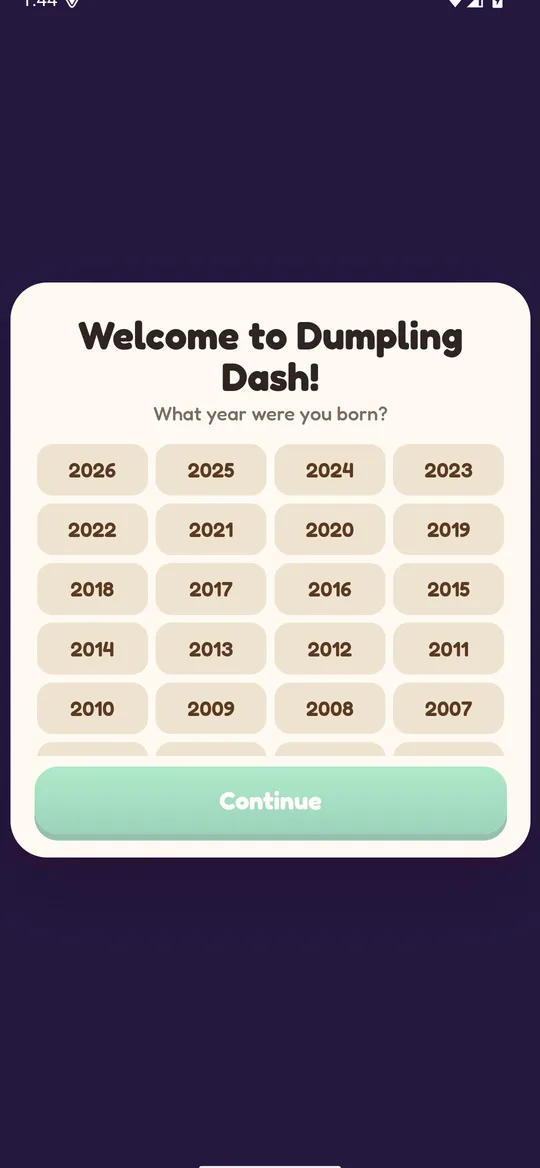
When the game opens for the first time, it asks one neutral question: what year the player was born. The answer stays on the phone. For players under 13, the game puts its gate in front of every link that leaves the game and in front of Delete my data.
Here is what it looks like from the home screen:
- Tap Settings on the right side of the home screen.
- Tap Privacy policy or Delete my data.
- A card titled Ask a grown-up appears with a multiplication question, for example "What is 6 × 7?".
- Pick the right answer from four buttons. The sum changes every time, so there is no pattern to learn.
- A right answer opens the page or, for Delete my data, wipes the save on the phone and restarts the game at the birth-year question.
- A wrong answer closes the card and shows "ASK A GROWN-UP". Nothing happens. Cancel closes the card too.
The numbers stay in times-table range, so an adult does not need a calculator, but a young child cannot simply guess the pattern from earlier tries.
What a parental gate cannot do
A gate is helpful, but it is a small tool. Knowing its limits helps you decide what else to set up.
- Older children can answer it. A sum stops a toddler, not a nine-year-old who knows their tables. The gate is about accidental taps, not about stopping a determined child.
- It does not control screen time. Nothing in a gate limits how long a child plays.
- It does not filter ads. What ads a child sees depends on how the game sets up its ad requests. Our guide on child-directed ads in kids games explains how that works.
- It does not protect other apps. Each app has its own gate, or none. Purchases in other games need the Google Play settings described in our guide to turning off in-app purchases on Android.
So think of the gate as one layer. The phone's own settings and a quick look at each game do the rest.
How to check any game's gate
You can test a family game in two minutes before you hand it over.
- Open the game's settings and look for links to a privacy policy, website or "more games".
- Tap one of those links as your child would. A careful kids game shows a grown-up question first.
- Look for a delete or reset option. If there is one, check that it also asks before it wipes anything.
- If the game has a shop, tap a paid item and see whether a gate or a Google Play password prompt appears before any payment screen.
- Answer a question wrong on purpose. The card should close without doing anything.
- Read the privacy policy and search it for "parent" or "grown-up". A good policy says where the gate is used.
If a game for young children opens web pages or store pages straight away with no question at all, that is worth knowing before your child plays it alone.
The short version for busy parents
A parental gate is a quick grown-up question in front of actions a small child should not take alone: leaving the app, paying, or deleting things. It is not a password, and an older child can pass it, so it works best alongside your phone's own settings.
In Dumpling Dash, players under 13 meet the gate only in Settings, before the privacy policy and before Delete my data. The rest of the game is just dumplings and gates of the other kind, the blue and red ones on the street. For the full picture of how the game handles younger players, read our parents' guide to Dumpling Dash or the privacy policy.
FAQ
What is a parental gate in a kids app?
It is a short question, such as a multiplication sum, that an app shows before an action a young child should not take alone, like opening a web page, paying or deleting data.
Is a parental gate the same as parental controls?
No. Parental controls are settings you set up on the phone or in Google Play. A parental gate is built into one app and only guards a few actions inside it.
Can my child get past the gate?
An older child who knows their times tables can. The gate is meant to stop accidental taps by young children, not to lock a determined older child out.
Where does Dumpling Dash show its gate?
For players under 13, it shows the gate before any link that leaves the game, such as the privacy policy, and before Settings → Delete my data.
What happens if the answer is wrong?
In Dumpling Dash the card closes, the words "ASK A GROWN-UP" appear and nothing else happens. You can try again from Settings at any time.